Creating Sample
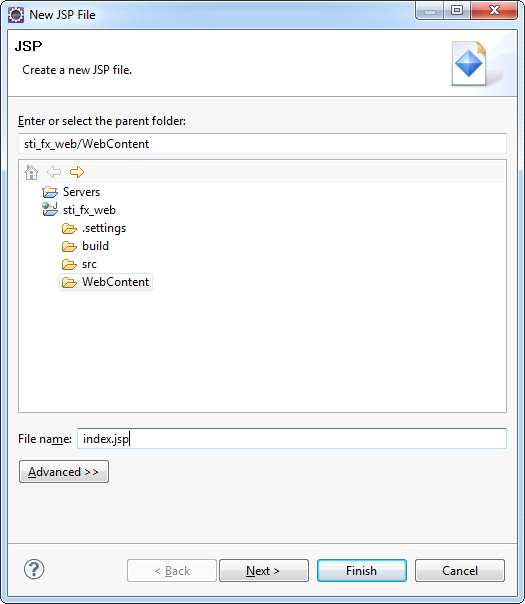
In order to verify the project and the Tomcat server, create a simple JSP and deploy it on Tomcat. To do this, one can create a new JSP, by choosing File> New> Other, or one can use the context menu, right-click the project name in the Project Explorer and select New> JSP file. In the next window (see the picture) define the directory Web Content, and in the File name write index.jsp. Click Finish to create pages using the default template.
Now open the index.jsp and edit it so that it displays the current date. The code page is specified in the code:
index.jsp
<!DOCTYPEhtmlPUBLIC"-//W3C//DTD HTML 4.01 Transitional//EN">
<%@ page language="java" contentType="text/html; charset=UTF-8" pageEncoding="UTF-8" %>
<html>
<head>
<meta http-equiv="Content-Type" content="text/html; charset=UTF-8">
<title>stimulsoft reports</title>
</head>
<body>
    <%java.util.Date date = new java.util.Date();%>
        <h1>
            This index.jsp.<br>
            <%=date.toString()%>
        </h1>
</body>
</html>
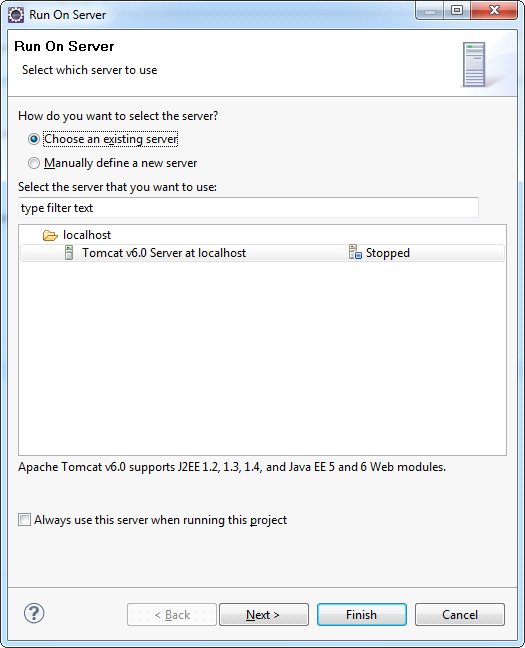
Now deploy it on the server. For this one need to use the context menu, right-click the project name, select Run> Run as> Run on server. Define a previously created server and click Finish.
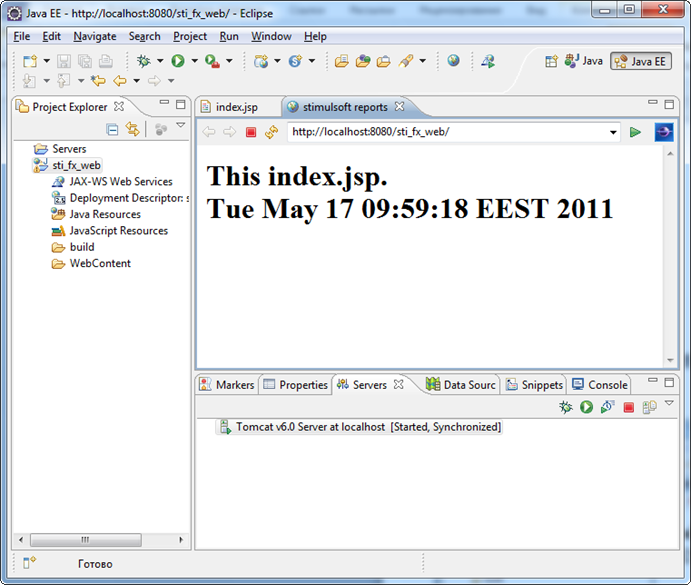
As a result, you receive the following (see the picture below). This page will be available from any browser at http://localhost:8080/{ProjectName} (where the {ProjectName} name of the created project, in our case sti_fx_web).