

Preview
Information
Since dashboards and reports use the same unified template format - MRT, methods for loading the template and working with data, the word “report” will be used in the documentation text.
The HTML5 Designer component provides the ability to preview reports. To preview the report, just go to the appropriate tab in the designer window. The report template will be transferred to the server side, rendered and displayed in the embedded viewer.
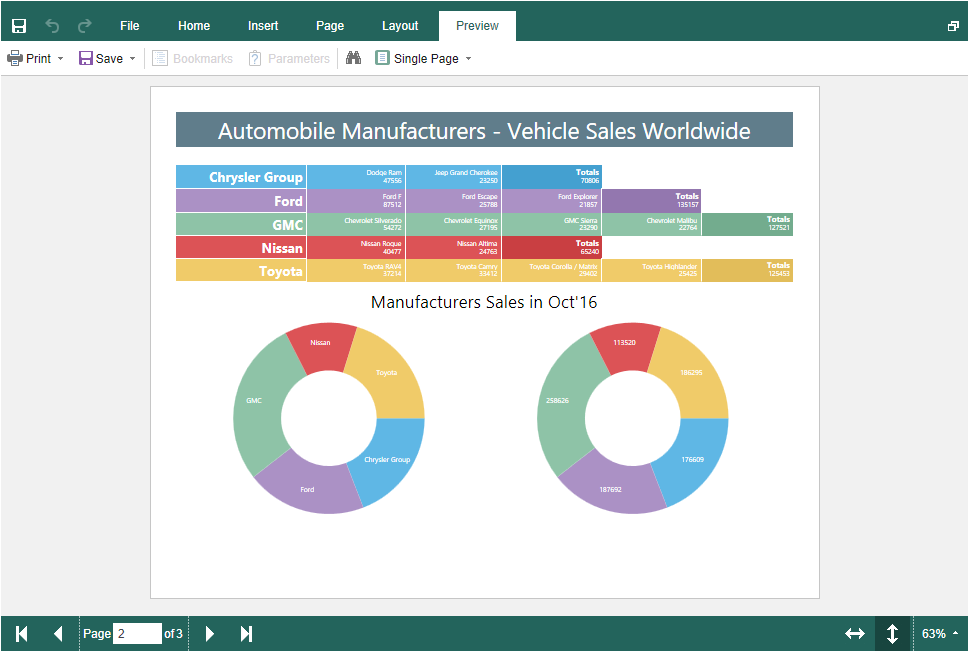
Before previewing the report, it is possible to perform any necessary actions, for example, connect data for the report. To do this, you can use the special PreviewReport action that will be called before previewing the report.
Index.cshtml
...
@Html.StiNetCoreDesigner(new StiNetCoreDesignerOptions() {
    Actions =
    {
        PreviewReport = "PreviewReport"
    }
})
...
HomeController.cs
...
public IActionResult PreviewReport()
{
    StiReport report = StiNetCoreDesigner.GetActionReportObject(this);

    DataSet data = new DataSet("Demo");
    data.ReadXml(StiNetCoreHelper.MapPath(this, "Data/Demo.xml"));
    report.RegData(data);

    return StiNetCoreDesigner.PreviewReportResult(this, report);
}
...