Dynamic Sorting and Drill-Down
The Flash Viewer component supports the dynamic sorting and drill-down of reports. This feature does not require additional settings for the viewer. When you dynamically sort or use drill-down, the GetReportSnapshot action is called. In this action, the required report template should be loaded again. The necessary parameters transmitted from the client-side will be automatically applied to the report when the response is generated.
Index.cshtml
...
@Html.Stimulsoft().StiMvcViewerFx("MvcViewerFx1",
    new StiMvcViewerFxOptions() {
        Actions =
        {
            GetReportSnapshot = "GetReportSnapshot"
        }
})
...
HomeController.cs
...
public ActionResult GetReportSnapshot()
{
    StiReport report = new StiReport();
    report.Load(Server.MapPath("~/Content/ReportWithParameters.mrt"));

    return StiMvcViewerFx.GetReportSnapshotResult(report);
}
...
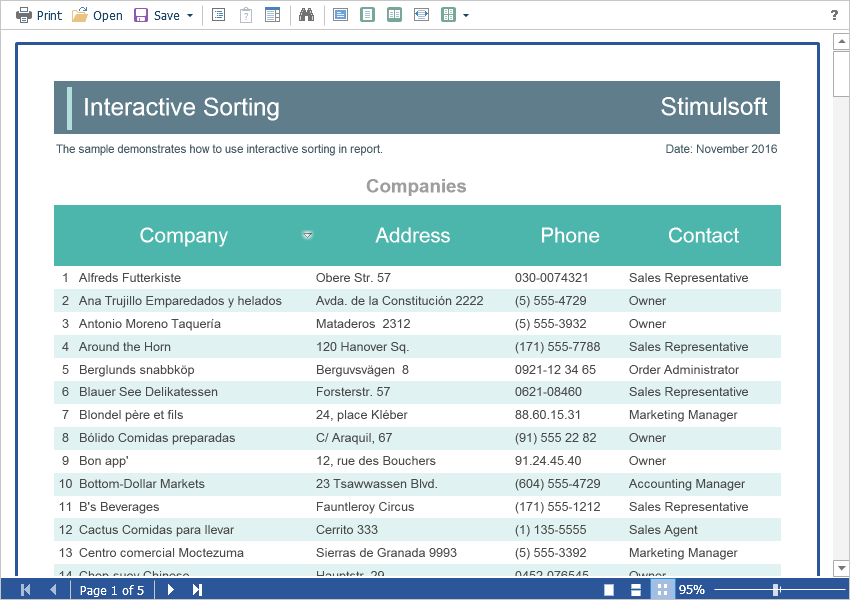
Dynamic sorting provides the ability to change the direction of sorting in a rendered report. To do this, click on the component that has the dynamic sorting enabled. Dynamic sorting is carried out in the following directions - Ascending and Descending. Each time the component is clicked, the direction is reversed.
Multi-level sorting is allowed in the report. To do this, hold down the Ctrl key and sequentially click on the sorted components in the report. To reset sorting, you can click on any sorted component without holding down the Ctrl key.
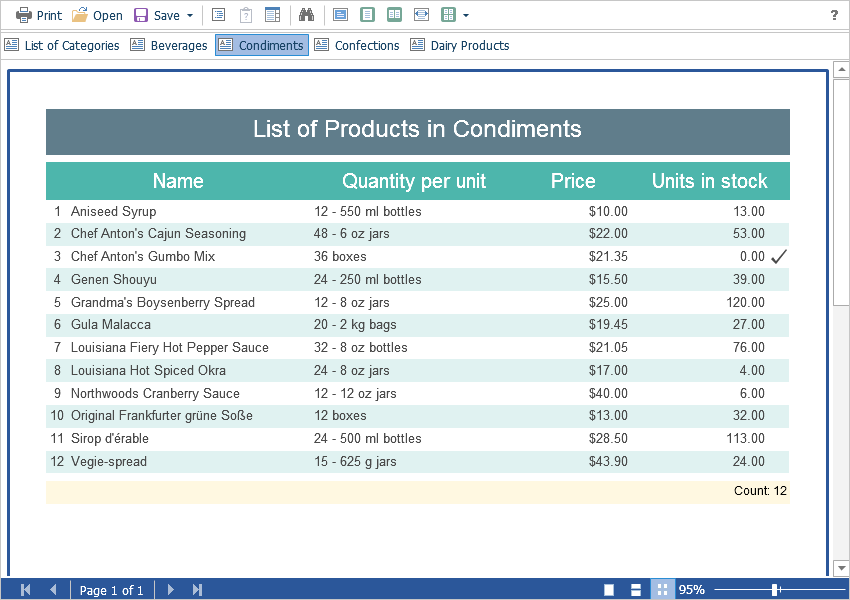
When using drill-down, under the main panel of the viewer, the drill-down panel with tabs for detailed reports will be displayed. The currently displayed report will be highlighted.