

Dictionary
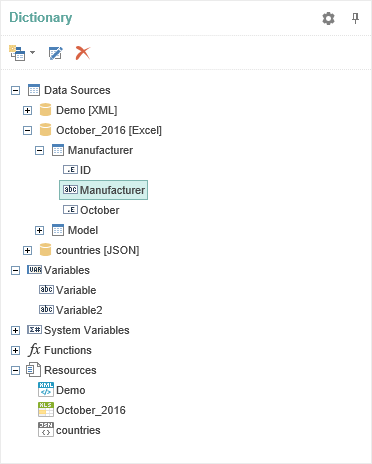
The panel Dictionary displays attached data, available data sources, system variables and functions. In addition, the dictionary can create a new connection and connect data sources to set up new connections between data sources.

The panel Dictionary consists of the Dictionary ToolBar, Data Tree, and Dictionary Setting Panel.
- The basic elements to control data dictionary can be found on the control panel.
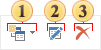
 The menu New Item. In this menu the basic commands to create new elements in the data dictionary are placed - new connection, new data source,new variable, business objects.
 The button Edit provides an opportunity to change any element, which can be edited.
 Using the button Delete one can delete any item in the data dictionary.
- The Data Tree represents a list of all the data dictionary, which are displayed in a tree.
- The panel Panel Setting Dictionary contains controls that provide an opportunity to change auxiliary parameters of the data dictionary.

If the option Create Field on Double Click is enabled, then when double clicking the data column data in the report data dictionary, the report template in the DataBand will create a text component with reference to this data column.
The parameter Create Label is used to create two text components (one with the signature, the a second with reference to the data column) when dragging a data column into the report. If this option is disabled, then, when dragging, only one text component with reference to a data column will be created.