

Cross-Tab Editor
When creating a cross-tab component or when editing this component, a special editor will be called. The editor has Data, Cross-Tab, and Styles tabs which contain settings of the Cross-Tab. In addition, settings and parameters are grouped in tabs.
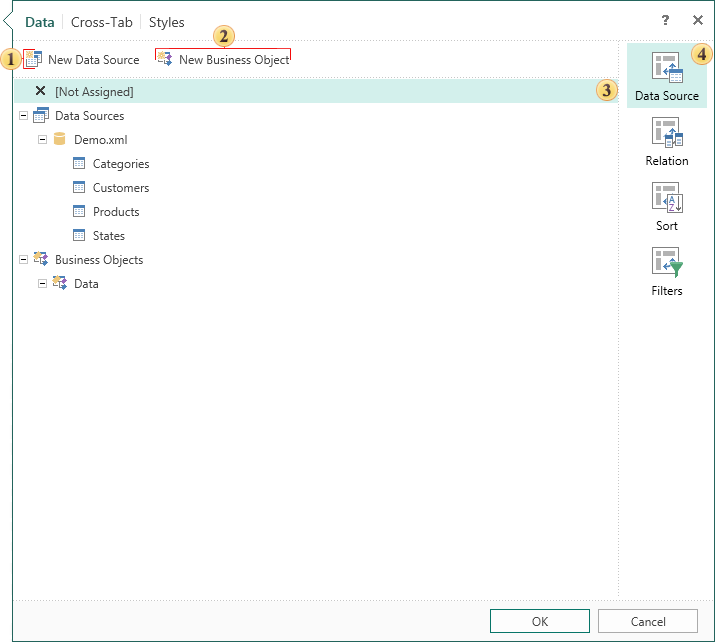
 The button New Data Source. Clicking this button will open a window to create a new data source.
 The button New Business Object. Clicking this button will open a window to create a new business object.
 This field displays the settings and parameters.
 The list of parameter groups can be found on this tab.
- Data Source
In this group you can select data source for the cross-tab. In addition, there is a button to create a window to call the data source and the new business object.
- Relation
In this group, the connection between the selected sources is selected. There is also a new button New Relation to call the windows to create a connection.
- Sort
In this group you can specify sorting parameters and its direction.
- Filters
In this group you can specify filtering parameters, add a new filter, set filtering conditions.