

Showing Report
To show the report, you need to add the StiNetCoreViewerFx component to the page and set it to the minimum required properties, and, in the view controller, specify the necessary actions.
Index.cshtml
...
@Html.StiNetCoreViewerFx(new StiNetCoreViewerFxOptions() {
    Actions =
    {
        GetReport = "GetReport",
        ViewerEvent = "ViewerEvent"
    }
})
...
HomeController.cs
...
public IActionResult GetReport()
{
    StiReport report = new StiReport();
    report.Load(StiNetCoreHelper.MapPath(this, "Reports/SimpleList.mrt"));

    return StiNetCoreViewerFx.GetReportResult(this, report);
}

public IActionResult ViewerEvent()
{
    return StiNetCoreViewerFx.ViewerEventResult(this);
}
...
In the above example, processing of two actions of the viewer is added. The GetReport action returns the report prepared for preview, the ViewerEvent action handles the viewer events.
Information
The ViewerEvent action is mandatory. Without it, the correct operation of the viewer is not possible.
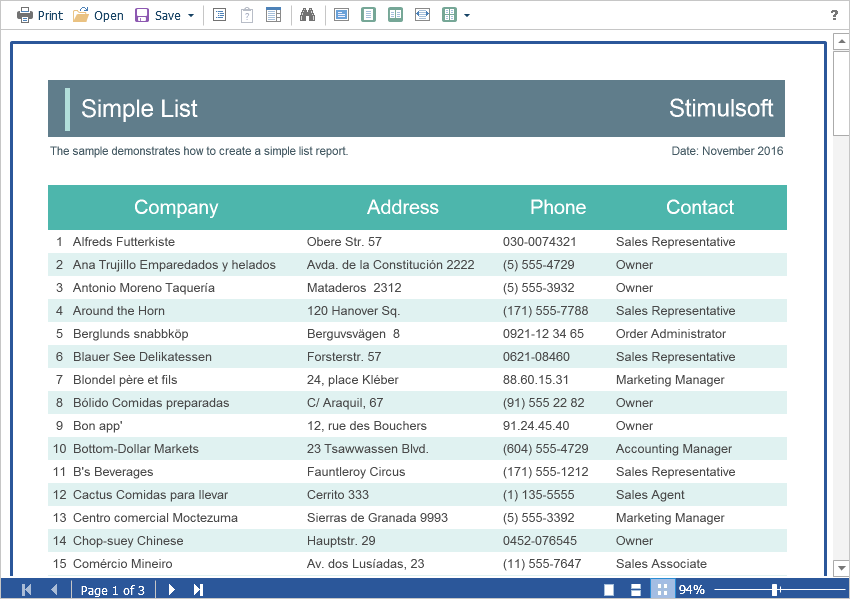
If the report was not rendered before showing, the Flash Viewer component will automatically render it. So you can use report templates and rendered reports to display reports.
HomeController.cs
...
public IActionResult GetReport()
{
    StiReport report = new StiReport();
    report.LoadDocument(StiNetCoreHelper.MapPath(this, "SimpleList.mdc"));

    return StiNetCoreViewerFx.GetReportResult(this, report);
}
...